
Products description
An AIR COM installation always consists of an AIR COM main unit and, depending on the aircraft type, one or more AIR Control Displays. The AIR Control Display is installed in the instrument panel and controls the AIR COM aeronautical radio.
Save panel space
For the first time, it is possible to combine both a radio and the operation of an external Mode-S transponder in a compact 57 mm round unit. To make this possible, an AIR COM radio and/or a Mode-S transponder (the VT-01 from AIR Avionics) can be connected to the AIR Control Display as desired. Panel space is becoming increasingly scarce, displays are getting larger, and more instruments have to fit into ever smaller panels. AIR COM can help. By connecting a Mode-S transponder directly, both devices – radio and transponder – will only take up a small 57 mm instrument cut-out in future. This is a big step towards more panel space and also saves on acquisition costs.
Operation
Hardly any other device in the cockpit is used and operated as frequently during a flight as a radio. Nevertheless, most radios on the market have small displays and are sometimes difficult to operate. The AIR Control Display has the largest screen area in its class and simple, robust controls that are easy to use even in turbulence or when wearing gloves. The colour display is perfectly readable in sunlight and shows all information large and clear. Letters and numbers are significantly larger than on conventional devices.
Frequency database
The AIR Control Display has an extensive database of aerodromes and airspaces, whose frequencies can be easily selected from a menu. The database can be updated via the microSD memory card built into the front. There is also a memory for entering your own frequencies.
GPS interface
The built-in GPS interface allows the frequencies of nearby aerodromes and airspaces to be displayed in a menu. This makes it very quick and easy to select the desired frequencies in the vicinity.
Highlights
(some of the following functions require an AIR COM or VT transponder)
Expected delivery date: Autumn 2017
Save panel space
For the first time, it is possible to combine both a radio and the operation of an external Mode-S transponder in a compact 57 mm round unit. To make this possible, an AIR COM radio and/or a Mode-S transponder (the VT-01 from AIR Avionics) can be connected to the AIR Control Display as desired. Panel space is becoming increasingly scarce, displays are getting larger, and more instruments have to fit into ever smaller panels. AIR COM can help. By connecting a Mode-S transponder directly, both devices – radio and transponder – will only take up a small 57 mm instrument cut-out in future. This is a big step towards more panel space and also saves on acquisition costs.
Operation
Hardly any other device in the cockpit is used and operated as frequently during a flight as a radio. Nevertheless, most radios on the market have small displays and are sometimes difficult to operate. The AIR Control Display has the largest screen area in its class and simple, robust controls that are easy to use even in turbulence or when wearing gloves. The colour display is perfectly readable in sunlight and shows all information large and clear. Letters and numbers are significantly larger than on conventional devices.
Frequency database
The AIR Control Display has an extensive database of aerodromes and airspaces, whose frequencies can be easily selected from a menu. The database can be updated via the microSD memory card built into the front. There is also a memory for entering your own frequencies.
GPS interface
The built-in GPS interface allows the frequencies of nearby aerodromes and airspaces to be displayed in a menu. This makes it very quick and easy to select the desired frequencies in the vicinity.
Highlights
(some of the following functions require an AIR COM or VT transponder)
- Radio and transponder can be operated from a single device
- Brilliant, large colour display – perfectly readable in sunlight
- Extremely simple, intuitive operation
- Airport database, GPS interface, NEAREST airport function
- Frequency memory function
- Frequency history
- Dual watch with separately adjustable volume
Expected delivery date: Autumn 2017
Accessories
A product slider follows - navigate to the individual items using the Tab key.

AirControl Display Power cable
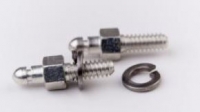
AIR Control Display connector locking bolts
AirControl Display - VT-01 Transponder connection cable
Altimeter-activation AIR Control Display
AirControl Display - AirControl Display connection cable 3m
This product is compatible with:
A product slider follows - navigate to the individual items using the Tab key.
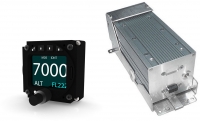
Mode-S Transponder VT-01 Class 1
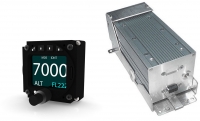
Mode-S Transponder VT-01 Class 2 Garrecht
Customers who bought this product also bought the following products:
A product slider follows - navigate to the individual items using the Tab key.
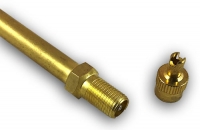
Valve Extension 75mm
Sale
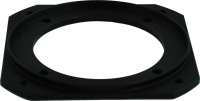
Instrument Adapter 80mm -> 57mm
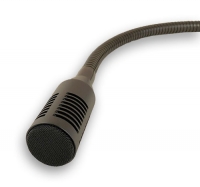
Dynamic microphone 28mm
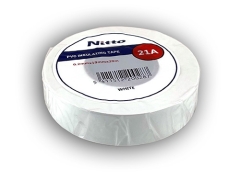
Nitto Tape 25 mm, Roll
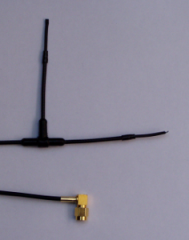
SuperFAnt
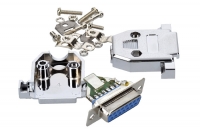
ST1 plug
Last viewed:
A product slider follows - navigate to the individual items using the Tab key.
Top
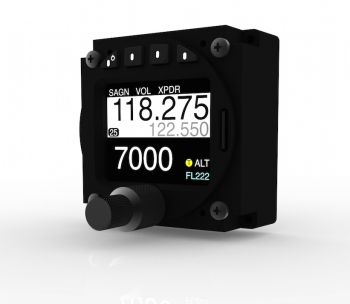
AIR Control Display


